20090728

My lifecompanion: An S60 handset and Nokia Sportstracker

A few weeks ago I wrote an article about the free GPS Sportstracker service that's now part of my daily life. Well to be honest it wouldn't have been a joy to use if it wasn't for my Nokia E71 handset and the S60 FP1 platform it's running on. This is a small preview to demonstrate the power of the S60 platform and the Sportstracker application that I use on my phone to track and upload my daily workouts. Here's a sneak peak with screenshots to demonstrate what I mean:


pic namepic namepic name
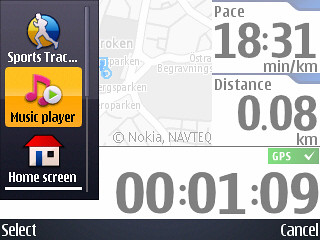
I start my workout by choosing type of activity (walking, running, cycling, skiing, rowing etc.) wait less than a minute for the GPS to lock and choose my settings for the workout. A setting that I use sometimes is If I want to auto track my laps, every kilometer for instance. As you can see in the above screenshot on the right I'm running multiple applications in the background, listening to some great music that keeps me on the move all uploaded on my 8GB microsd card.


pic namepic namepic name
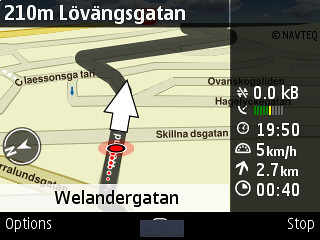
Another application I occasionally have running in the background is Nokia Maps. Sometimes I go on a discovery jog around in unfamiliar terrain or ditching the buss to get where I wanna go, with Nokia Maps I got pedestrian mode to guide me whenever I feel exploring new places. When I'm done, I stop my workout and glaze at my diary (daily, weekly, monthly view) and select todays workout to see how I've done compared to the week before.


pic namepic namepic name
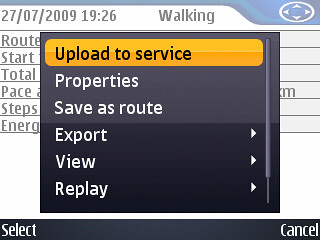
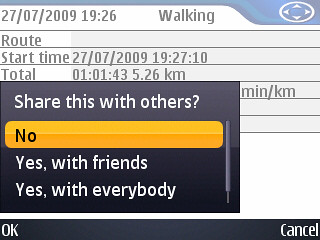
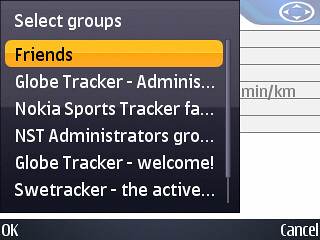
I upload my workouts so that friends can see them, post them on my blog or just contribute to the groups I like (my uploaded workouts help the group maintain a high popularity ranking in the sportstracker community)

The power of the E71 S60 handset:
During my workout I use wireless stereo bluetooth headset along with GPS, 3G connection (always online, receiving emails) music player is on maximum volume and other apps going on in the background and the phone chews it all like a small chewing gum. I start my round with two battery bars left, confident the phone will last at least an hour and a half of workout time and it did while capturing these screenshots. No doubt I've been spoiled by the stability and performance of the Nokia E71, now it's grown to a life-companion and I bring it with me running those challenging kilometers, a joy to use really.

20090721

Improving the Nokia Sportstracker?


Anything you'd like to improve after using Nokia Sportstracker service? After using the service for about 6 months now there are some things that I think needs to be adressed:

- Widgets: (facebook, on blogs etc) to show your weekly/monthly activity log.

- More stats: showing a variety of information weekly, monthly, yearly.

- Seamless workout: Instead of starting and pausing a workout to change walking to running or to cycling, I'd like the opportunity to simply switch between activity modes.

After trying the Nokia Sportstracker service out, is there anything you would like to improve? Share your thoughts.....
/Taffe - swerunner

20090714

Keeping up the workout motivation

Anyone who has started a fitness routine only to stop it after a time would likely tell you that one of the reasons why they quit was that they lost motivation to continue. This is a common occurrence, but one that can be easily remedied through the use of an exercise journal. My active journaling blog swerunner is a good example of an exercise journal.

Along with my goalsetting, upcoming races, an active or workout journal is a written diary in which you record all of the exercise you get, how often you exercise, as well as the time spent and the intensity and type of the workout (most of this information is easily obtainable thanks to the Nokia Sportstracker service)

If you are using an exercise log and know your start running faster, then you will be able to track your progress over time concerning your pace loss or time. You will have proof as you follow your pace and that it is in fact working, and this will help keep you motivated to continue.

20090706

Failing to upload to the Nokia Sportstracker service after workout?

Sometimes the phone fails to connect to server and you're left wondering if there might be any tricks to try before determining if its a server fault or the phone Well there are a few things you can try. Here are my top 2 tips for uploading a workout, perhaps other members can recommend other tips as well.

Refreshing the connection
Sometimes when you swith between Wifi to GSM or 3G the Sportstracker software on the phone doesn't comprehend the transition between the connection you're currently on. Inside the S60 sportstracker application, try to refresh or reset your connection by choosing the Connections Options in General Settings and set it to "None" or no connection then switch back to the connection you're currently on.

Clearing the cache
Perhaps all the information "leftovers" from the media files (music,pics, videos) needs to cleaned of, like the analogy an oldfashioned web browser wiping the temporary files clean. Here's how to clean the cache memory. Open Sportstracker on your phone:
go to Settings > General Settings > Options > Clear media cache

20090705

How to embedd your workout route on your website or blog

Thanks to Nokia Sportstrackers infite ways of exporting your workout you can also export your Google map and embedd it in your webpage, let me show you how its done.

Step 1: Choose a workout, I chose to upload my personal best running round from 26/6 and then I choose "Other Options" and then click on "Download as KML file"

Step 2: Go to Google Maps, log in using your gmail or create an account. Choose "My maps" and create a new map, then choose "Import" and rename the workout. Then you can set your privacy settings to public or unlisted (I always choose unlisted, I have the freedom to whom and where to show the map)

Step 3: In the right top corner of Google Maps click on "Link" there's the option to embed or link the map. I chose the extra options of adapt and view the embedded to set default zoom level of workout and instead of map I choose satellite because it looks cooler than the static map. Ok, now your all set to copy and paste the embedded link (under the map in the adapt and view window) Here's the result:


Visa Running Personal best 26/6 på en större karta

20090704

Polar Bluetooth heartmonitor coming to your device soon?!

Will we ever see an offer of the bluetooth heartmonitor for non N79 users?
Judging by the Nokia Betalabs Sportstracker blog posts here, there hasnt been any confirmation from Nokia about releasing or selling the Polar heartmonitor. There was some rumours about the Polar and Nokia franchise where Polar didn't agree with Nokia on releasing the heartmonitor belt on other models other than the N79 active edition and perhaps some other promotional campaigns.

Will we ever be able to order the heartmonitor from Nokia any time soon? Time will tell.......

20090703

GPS sensitivity and filtering on your nokia device!

Here's an article about GPS sensitivity explaining the GPS filtering on your phone.

According to the article “High” GPS filtering mode is about reducing the track points amount, meaning less GPS accuracy and less information = smaller file size. This means you should set your GPS filtering to LOW for more track points.

Read full article here
Joining the active movement!

This is the story of the first globetrackers, a small group in Sportstracker community, that was created the third of june 2009 by the Taffe from Sweden. In the beginning there was only a few of us with a vision of uniting international members and becoming Nokia Sportstrackers biggest movement in the online community with our amount of workouts where each members contribution plays a significant role.

Today, one month later the third of july 2009, each flag in the Globetracker logo represents a country in the group where more than 600 members share their active side of life.

We're today the biggest movement in the Sportstracker community and it doesn't end here because someone said that being active is not only about winning, it's about finishing what you set you to do. With each members workout we keep breaking records online.

Welcome to the GlobeTracker blog and together let's raise a big thumps up for the great active movement, I'll be uploading my workouts regularly and keep contributing to the community / Taffe

Keeping a detailed record of your travels?

Hitting the highway this summer and want to keep a detailed record of your travels? No problem: thanks to Sports Tracker app and your phone, your GPS has you covered.

Sports Tracker started out as a GPS-toting training aid for sweat-drenched keep fit fanatics, but various updates since then have transformed it into a handy tool for anyone who wants to keep an accurate record of their location, not to mention geotag their photos and video clips. Here’s how to get the best out of it when you’re travelling.
Read the article!

20090702

Wellness Diary's incompatibility with latest version of Sports Tracker

Quick note: some of you might have been complaining about the incompatibility between Nokia Wellness Diary and the latest version of Nokia Sports Tracker. Nokia Beta Labs confirms this bug.

Written by: Tommi Vilkamo, manager of Nokia Beta Labs.

Read the full story at Nokia Beta Labs